 Before
 After
AfterPortraits on a clean background
Turn an outdoor portrait into a clean, studio-ready image.
Upload your photo and get a perfect white background in 3 seconds. No sign up required — free images every day.
BeforeAfterWhite background maker
JPG, PNG, or WebP up to 10 MB. No sign up is required for your daily free credit.
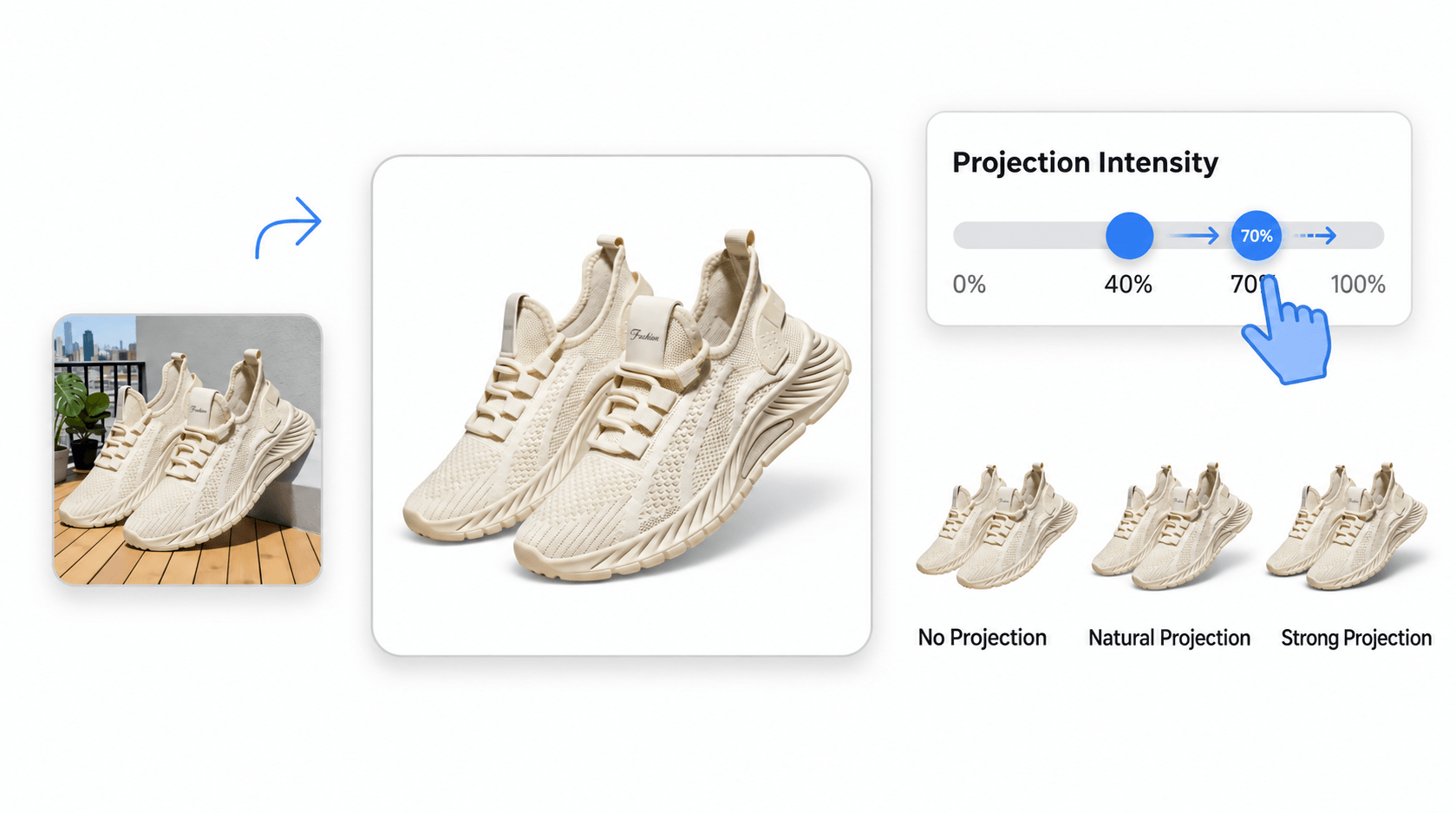
This is our key advantage. AI analyzes the product’s bottom contour and the lighting direction in the original image, then creates a natural shadow that fits the product. Its angle, length, and blur are matched automatically, so your product looks as if it was photographed in a real studio—without the floating cutout effect.
Built for real work
Prepare consistent images without tracing subjects or learning a complex photo editor.
BeforeAfterTurn an outdoor portrait into a clean, studio-ready image.
 Before
 After
AfterClean up product scenes while preserving the surrounding details.
 Before
 After
AfterCreate polished product images that keep the attention on the item.
 Before
 After
AfterPrepare distinctive product photography for any storefront or campaign.
Clear and consistent
whitebackground.org is an online white background maker for individual photos. It identifies the main subject, removes the surrounding scene, and replaces every transparent background pixel with pure RGB(255,255,255). The result is an opaque PNG you can inspect and download. If you need to make photo background white without drawing a mask by hand, the whole job is handled in one focused workflow. Credit cost is based on the longest source-image edge, and the exact amount is shown before you approve processing.
A consistent white background keeps attention on the subject and makes a catalog easier to scan. Marketplace sellers often need clean product photos for Amazon, Shopify, and other storefronts; designers need predictable assets for layouts; and job seekers or applicants may need a simple headshot. When you remove background and make it white, products line up more naturally, portraits look less distracting, and images are easier to reuse across pages with different visual styles.
No sign up is required for the daily anonymous allowance. Free outputs are limited to an 800-pixel longest edge, while active paid plans preserve the original dimensions supported by the processing service.
Cross-border sellers use it to make white background product images before publishing a listing. Designers use it to create a neutral starting point for campaigns and presentations. People preparing ID-style photos, resumes, team directories, and profile pictures use it to change background to white without installing Photoshop. Social media teams also use the same white background maker to clean up objects and screenshots before adding their own text or brand system.
FAQ
Upload a JPG, PNG, or WebP image, review the source dimensions and credit cost, then confirm processing. The tool removes the existing background, fills the transparent area with pure white, and prepares a PNG download.
Yes. whitebackground.org works in your browser, so there is no software to install and no manual masking. Upload the photo and the background is removed and replaced with white automatically.
You can use one credit per day without signing up. Registered free accounts receive three daily credits plus a one-time 10-credit signup grant. Full-resolution plans start at $9.9/month when you need more credits.
The tool accepts JPG, PNG, and WebP images up to 10 MB. Every completed result is delivered as an opaque PNG with a pure RGB(255,255,255) background.
Upload once and confirm the displayed credit cost. The asynchronous workflow handles background removal and the pure-white replacement together, so you do not need a separate editor.
Uploads and generated results are stored privately only for processing and download. They become inaccessible through the application and are deleted from temporary storage within 24 hours.
Start with your daily no-sign-up credit, or compare full-resolution plans.